How to manage workspace settings
- Kelune CRM Cloud
A workspace holds its own contacts, campaigns, automations, and team. Its settings set its name, its address in the app, and the time zone schedules use. This is also where you export everything or delete the workspace.
Change the name, address, or time zone
- Click Settings in the sidebar.
- Under System, click Workspace.
- Change the Workspace name, Workspace slug, or Timezone.
- Click Save settings.
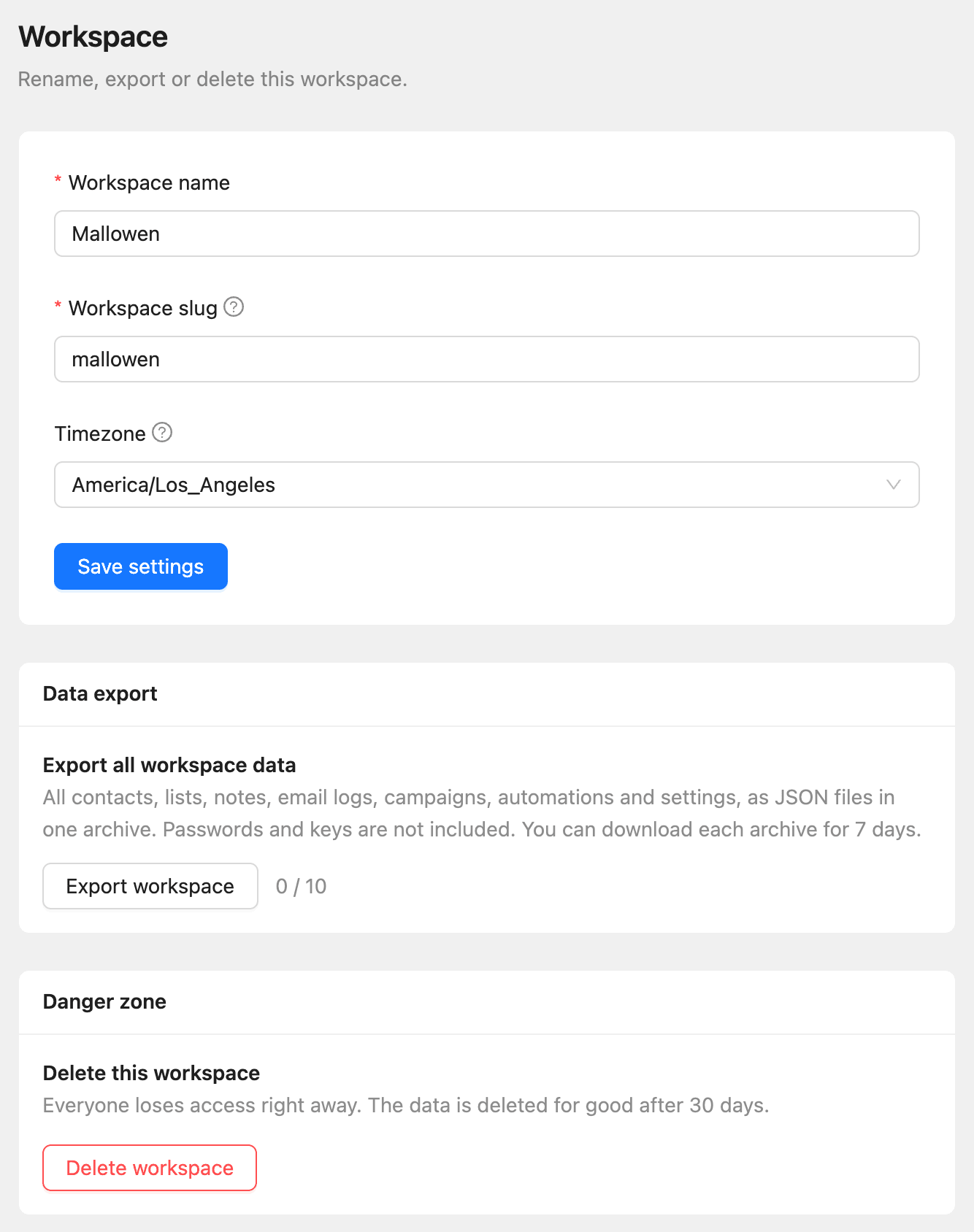
| Field | What it does |
|---|---|
| Workspace name | The name your team sees in the app and in invitations |
| Workspace slug | The part of the app address after /w/, such as app.kelunecrm.com/w/mallowen |
| Timezone | The time zone campaigns, recurring campaigns, and reports use. Times are stored in UTC and shown in this zone |
Export all the data
- Under Data export, click Export workspace.
- Wait until the export shows Ready.
- Click Download.
The archive holds all contacts, lists, notes, email logs, campaigns, automations, and settings as JSON files. Passwords and keys are not included. Each archive can be downloaded for 7 days, and each plan allows a number of exports per billing period.
To export only contacts as a spreadsheet, see How to export contacts.
Delete the workspace
- Under Danger zone, click Delete workspace.
- Type the workspace name to confirm.
- Click Delete workspace.
Everyone loses access right away, and a paid plan stops renewing.
Restore a deleted workspace
For 30 days, the owner can bring a deleted workspace back:
- Click Workspaces in the sidebar.
- Find the workspace marked Deleted.
- Click Restore and confirm.
Its members get access again, and a paid plan starts renewing again.
Create another workspace
- Click the workspace name at the top left, then New workspace.
- Enter a Workspace name and click Create the workspace.
Every new workspace starts on the Free plan, and an account can own one free workspace. To create another, move your other workspaces to a paid plan first. See How to create your Kelune CRM Cloud account for switching between workspaces.