How to send a campaign follow-up
- Kelune CRM Cloud
A follow-up resends a campaign to the people who did not act on it, such as everyone who did not open your sale announcement. It starts as a copy of the campaign, so you can change the subject or the content before it goes out.
Create the follow-up
- Click Campaigns in the sidebar and open a sent campaign.
- Click More actions (the three dots at the top right), then Follow up.
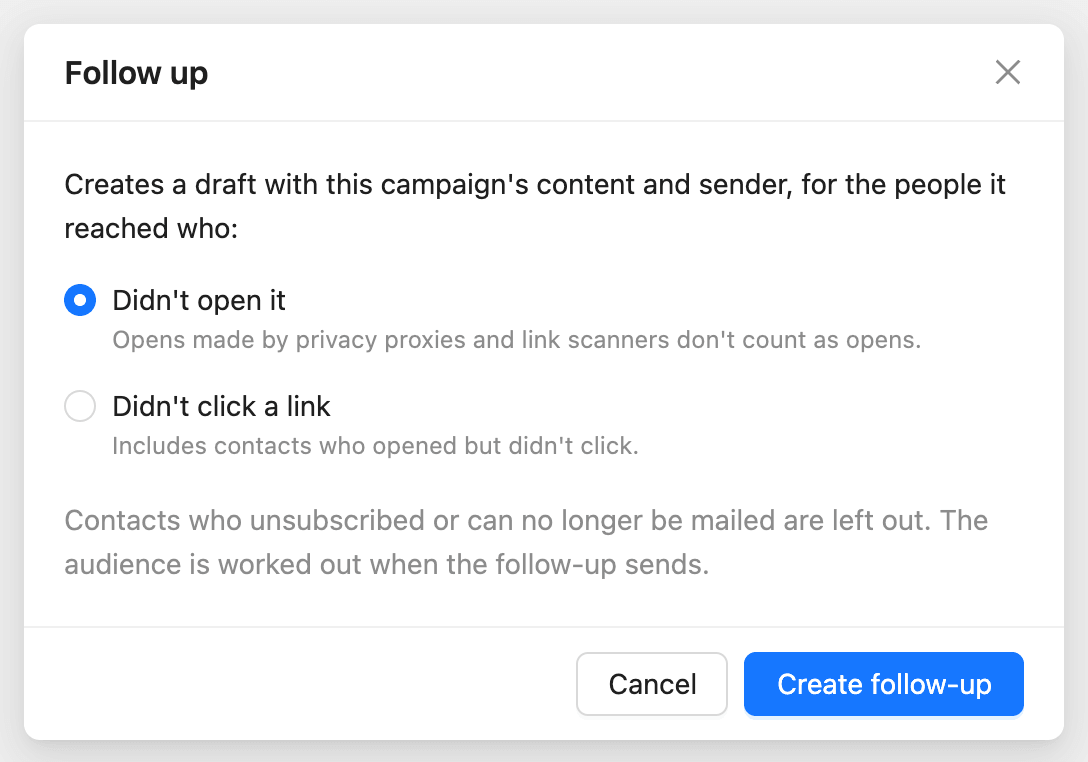
- Choose who gets it: Didn’t open it or Didn’t click a link.
- Click Create follow-up.
| Option | Who gets it |
|---|---|
| Didn’t open it | Contacts the campaign was delivered to who never opened it. Opens made by privacy proxies and link scanners don’t count as opens |
| Didn’t click a link | Contacts who did not click any link, including those who opened but didn’t click |
A new draft opens in the editor with the campaign’s content and sender. Its name ends with “follow-up”.
Change it and send
- On Content, change the email if you like. A shorter version with a clear button often works well.
- On Subject & sender, give it a new Email subject. People who did not open the first email may open a different subject.
- Click Save & next to the Review step.
- Send it now or schedule it.
The Audience step is locked: the audience comes from the campaign it follows up. It is worked out when the follow-up sends, so contacts who open the first campaign in the meantime are left out. Contacts who unsubscribed or can no longer be mailed are left out too.
Find a follow-up
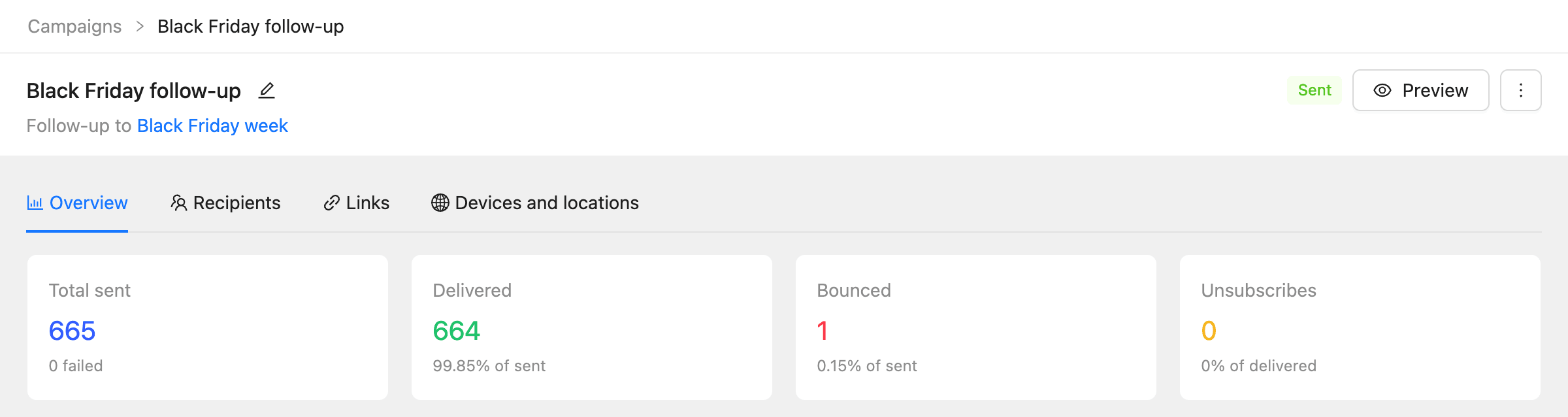
A follow-up is listed on Campaigns like any other campaign. Its page shows “Follow-up to” and the name of the original, and the original lists its follow-ups on its Overview tab.
Common questions
Follow up is not in the menu. The campaign has not finished sending, or it was canceled. Only a sent campaign can be followed up.
The follow-up says the campaign it follows up was deleted. A follow-up needs its original to know who to send to. Duplicate the campaign and choose an audience yourself instead.
Does a follow-up count as a campaign? Yes. It counts toward your plan’s campaign limit and email limits like any other campaign.