How to A/B test a campaign
- Kelune CRM Cloud
An A/B test sends different versions of one campaign to a sample of its audience, such as two subject lines. After a wait, the version with the better open or click rate wins and goes to the rest of the audience.
Set up the test
- Create the campaign with its content, subject, and audience as usual. See How to send your first campaign.
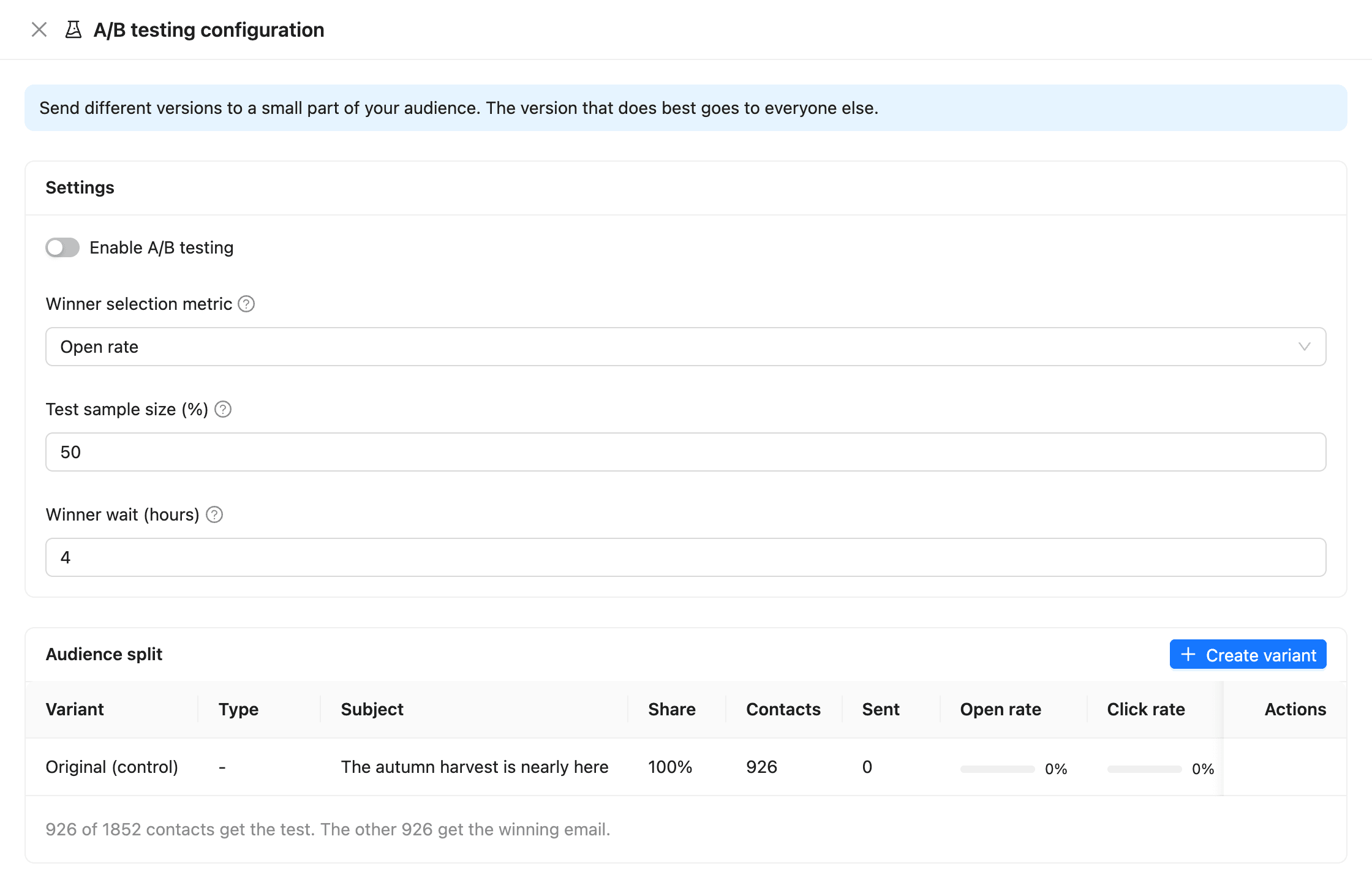
- On the Review step, click A/B testing next to A/B test. You can also open it from the campaign’s More actions menu on Campaigns.
- Turn on Enable A/B testing.
- Choose the Winner selection metric: Open rate or Click rate.
- Set the Test sample size (%): the share of the audience that gets the test.
- Set the Winner wait (hours): how long after the last test email to wait before picking the winner.
- Click Save.
| Metric | Choose it when you test |
|---|---|
| Open rate | The subject line, the preview, or the From name: what people see before they open |
| Click rate | The content: what people do after they open |
Add a variant
The campaign as you wrote it is the Original (control). Each variant changes one part of it.
- Click Create variant.
- Enter a Variant label, such as “B”.
- Choose the Test type: Subject line, Email content, From name, or Full email (subject + content).
- Set the Share of the test sample. The original gets the rest.
- Write the new subject, content, or From name.
- Click Create.
The Audience split table shows how many contacts get each version, such as “926 of 1852 contacts get the test. The other 926 get the winning email.”
Send the test
Send or schedule the campaign from the Review step as usual. The test sample gets its versions first. When the wait is over, the winner goes to everyone else in the audience.
A variant wins only if it beats the original. If the results tie, the original is sent.
To pick the winner before the wait is over:
- On Campaigns, open the campaign’s More actions menu and click A/B testing.
- Click Determine winner. It picks the winner from the results so far.
Read the results
Open the campaign and click the A/B test tab.
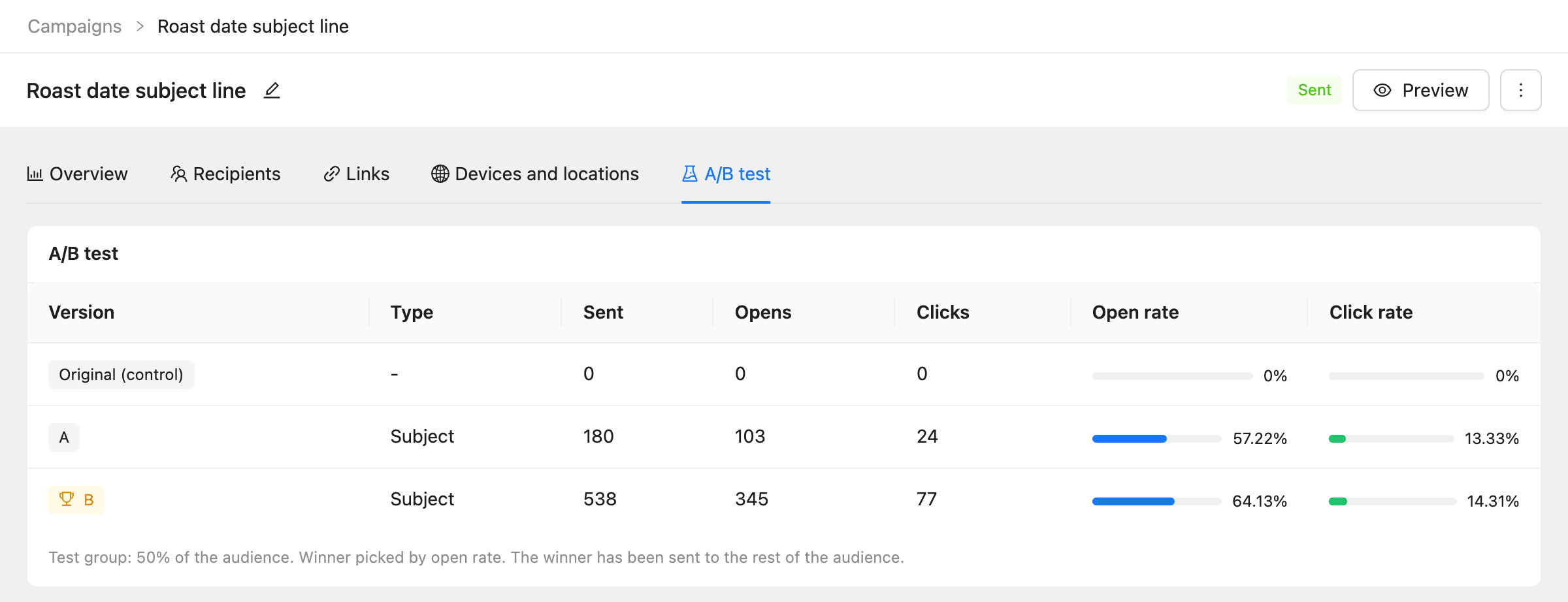
The winner is marked with a trophy. The note under the table says how the winner was picked and whether it has gone to the rest of the audience. The Recipients tab shows which version each contact got.
Tips for a useful test
- Test one thing at a time, so you know what made the difference.
- Use a sample big enough to mean something. With a few hundred contacts, a 50% sample is a fair start.
- Give opens time to arrive. Four hours suits most audiences; a day is safer for business audiences who read email on workdays.
Common questions
Can I change the variants after sending starts? No. Variants are fixed once the campaign leaves draft. Duplicate the campaign to test a different set.
What if the sample is 100%? Everyone gets a version in the test, so there is nothing left to send to. Use it when you only want to compare results.
Can a follow-up be A/B tested? No. A follow-up always sends one version.