How to read the dashboard and analytics
- Kelune CRM Cloud
The dashboard is the first page of a workspace. It shows the workspace’s size and recent activity at a glance. Analytics goes deeper, with charts for contacts, emails, and campaigns over a date range you choose.
Read the dashboard
Click Dashboard at the top of the sidebar.
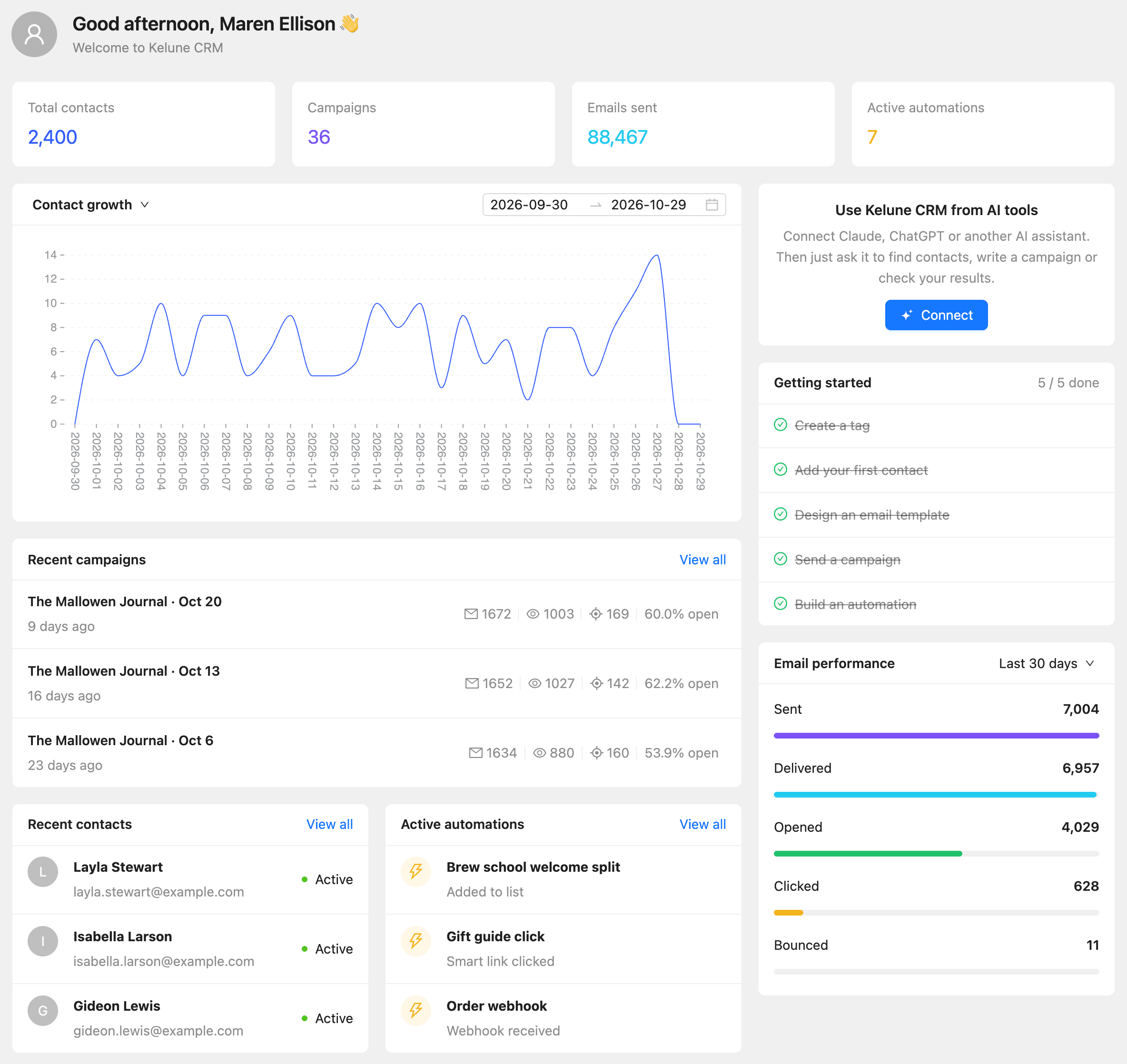
| Section | What it shows |
|---|---|
| Total contacts, Campaigns, Emails sent, Active automations | Running totals for the workspace |
| Chart | Contact growth, Emails sent, Email opens, or Email clicks per day. Pick one from the menu in the chart’s title, and the dates on its right |
| Use Kelune CRM from AI tools | Click Connect to link an AI assistant. See How to connect AI tools |
| Getting started | Five first tasks, crossed out as you finish them |
| Recent campaigns | The latest campaigns with sent, opened, and clicked counts. View all opens Campaigns |
| Email performance | Sent, delivered, opened, and clicked email for Last 30 days, Last 60 days, Last 90 days, or All time |
| Recent contacts | The newest contacts |
| Active automations | Automations that are running now |
The checklist’s tasks are Create a tag, Add your first contact, Design an email template, Send a campaign, and Build an automation. Each one links to the page where you do it.
Open analytics
- Click Analytics in the sidebar.
- Choose a tab: Overview, Contacts, Emails, or Campaigns.
- On every tab except Overview, pick the dates in the range picker at the top right.
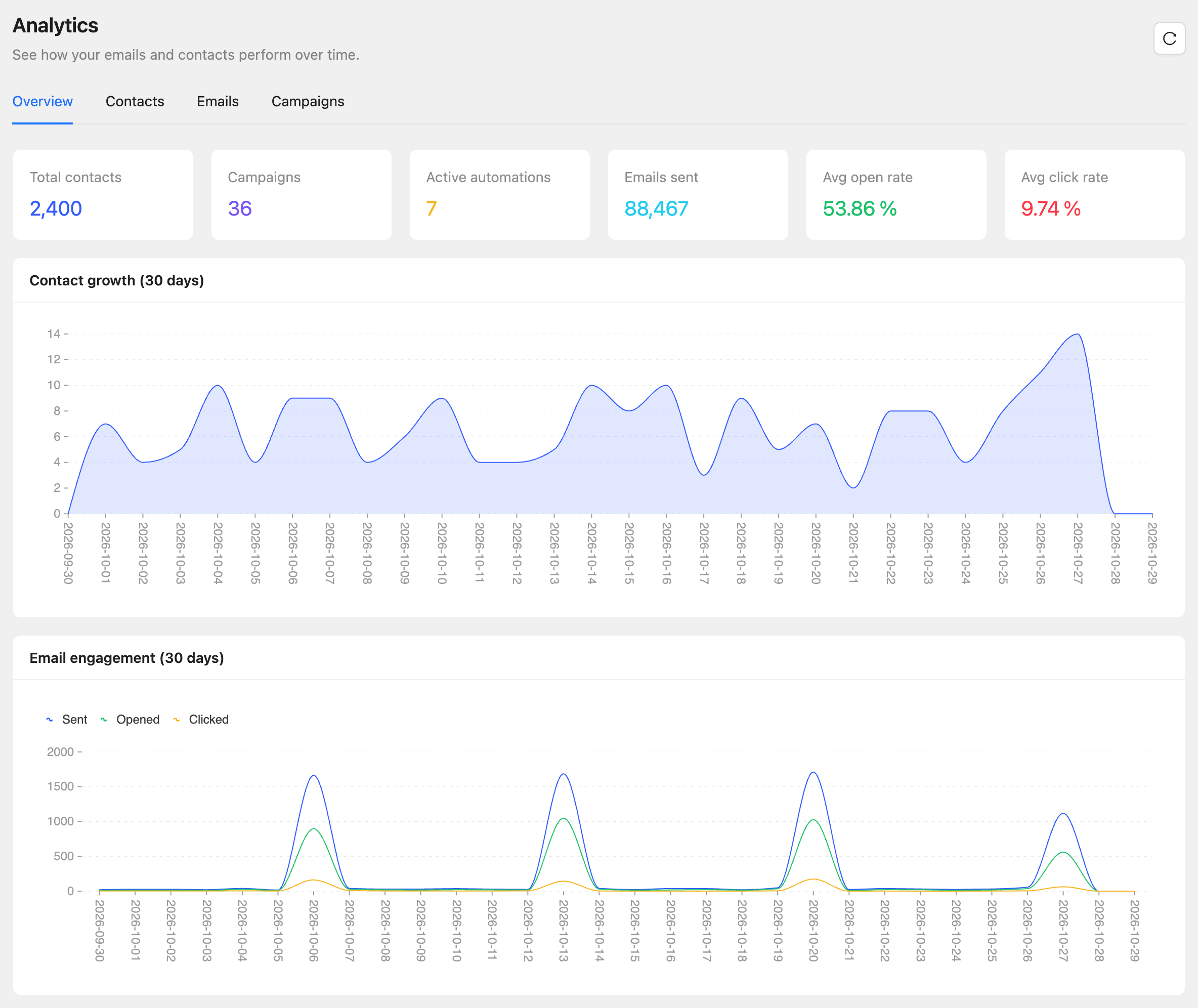
| Tab | What it shows |
|---|---|
| Overview | Totals, Avg open rate, Avg click rate, and the last 30 days of contact growth and email engagement |
| Contacts | Contact growth, contacts By status, Top tags, Top lists, and Top countries |
| Emails | Sent, Delivered, Opened, Clicked, and Bounced, their rates, and Engagement over time |
| Campaigns | Campaign counts, Top campaigns by open rate, and a Performance table you can search and sort |
Click the refresh button next to the title to load the newest numbers.
How far back analytics go
Each plan keeps a set number of days of analytics history. Dates older than that cannot be picked, and the page says how many days your plan keeps. See How to check plans, usage, and billing.
Common questions
Why are open rates zero? Open tracking may be off. Check Track email opens under Settings, then Compliance. See How to set up general settings.