How to use smart links
- Kelune CRM Cloud
A smart link is a short tracking link that sends people to your page and acts on the contact who clicked. Use one to tag everyone who clicks “I’m interested”, add workshop sign-ups to a list, or start a follow-up automation.
Create a smart link
- Click Settings in the sidebar, then Smart links.
- Click Create smart link.
- Enter a Link name and, if you like, a Description.
- Choose the Link type: General, Campaign, Automation, or Website. It only labels the link, to help you sort them.
- Enter the Redirect URL: the page people land on.
- Choose the actions to run on a click.
- Click Create.
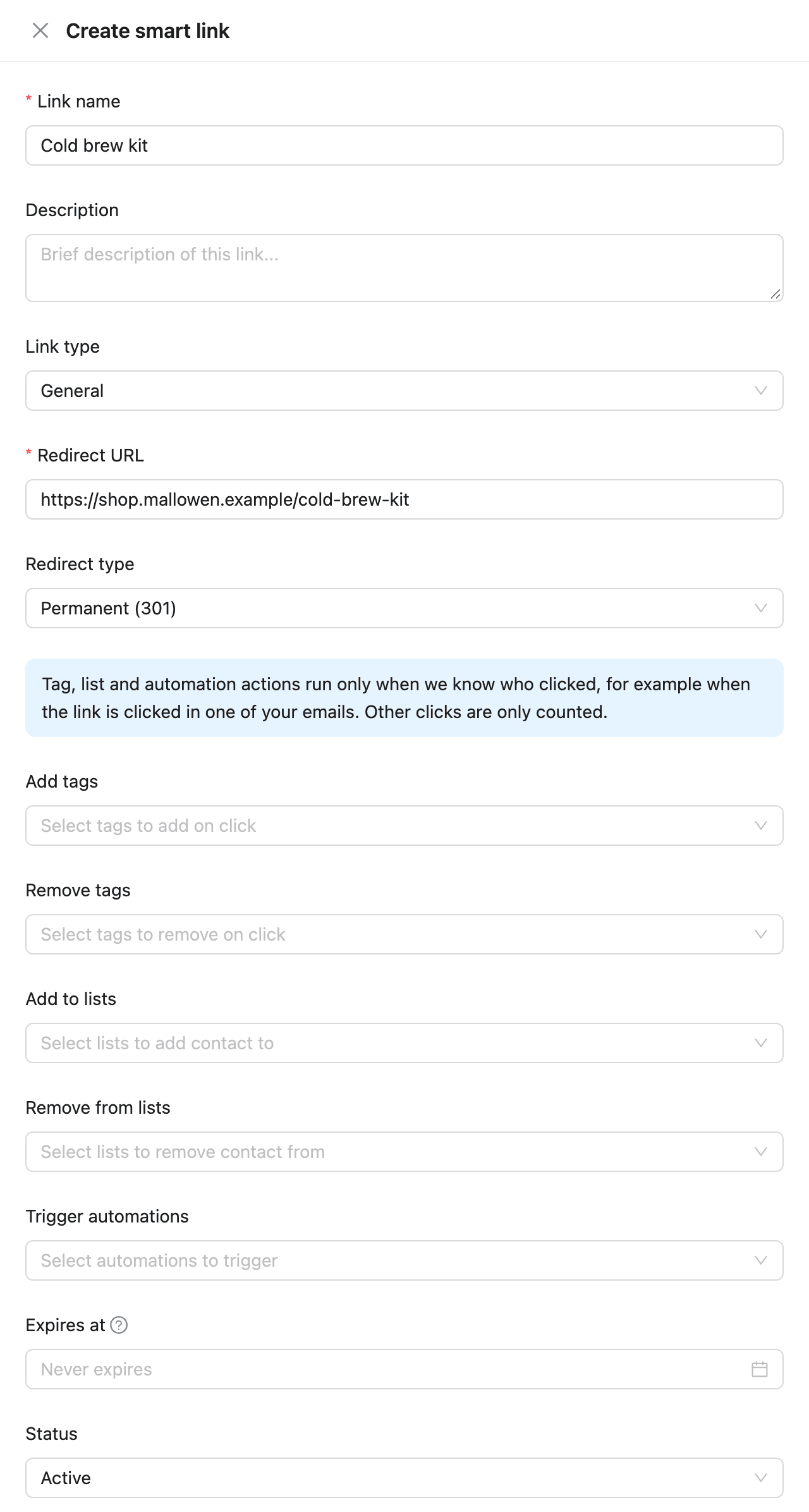
The next screen shows the tracking URL. Copy it and use it as the link in your email instead of the destination address.
| Field | What it does |
|---|---|
| Redirect type | Permanent (301) or Temporary (302). Use Temporary (302) if you may change the destination later |
| Add tags / Remove tags | Tags added to or removed from the contact who clicks |
| Add to lists / Remove from lists | Lists the contact is added to or removed from |
| Trigger automations | Automations the contact starts |
| Expires at | After this date and time, the link stops working |
| Status | Active or Inactive. An inactive link does nothing |
Use the link
Click Copy URL in the Tracking URL column, then paste it as a link in a campaign, sequence, or automation email.
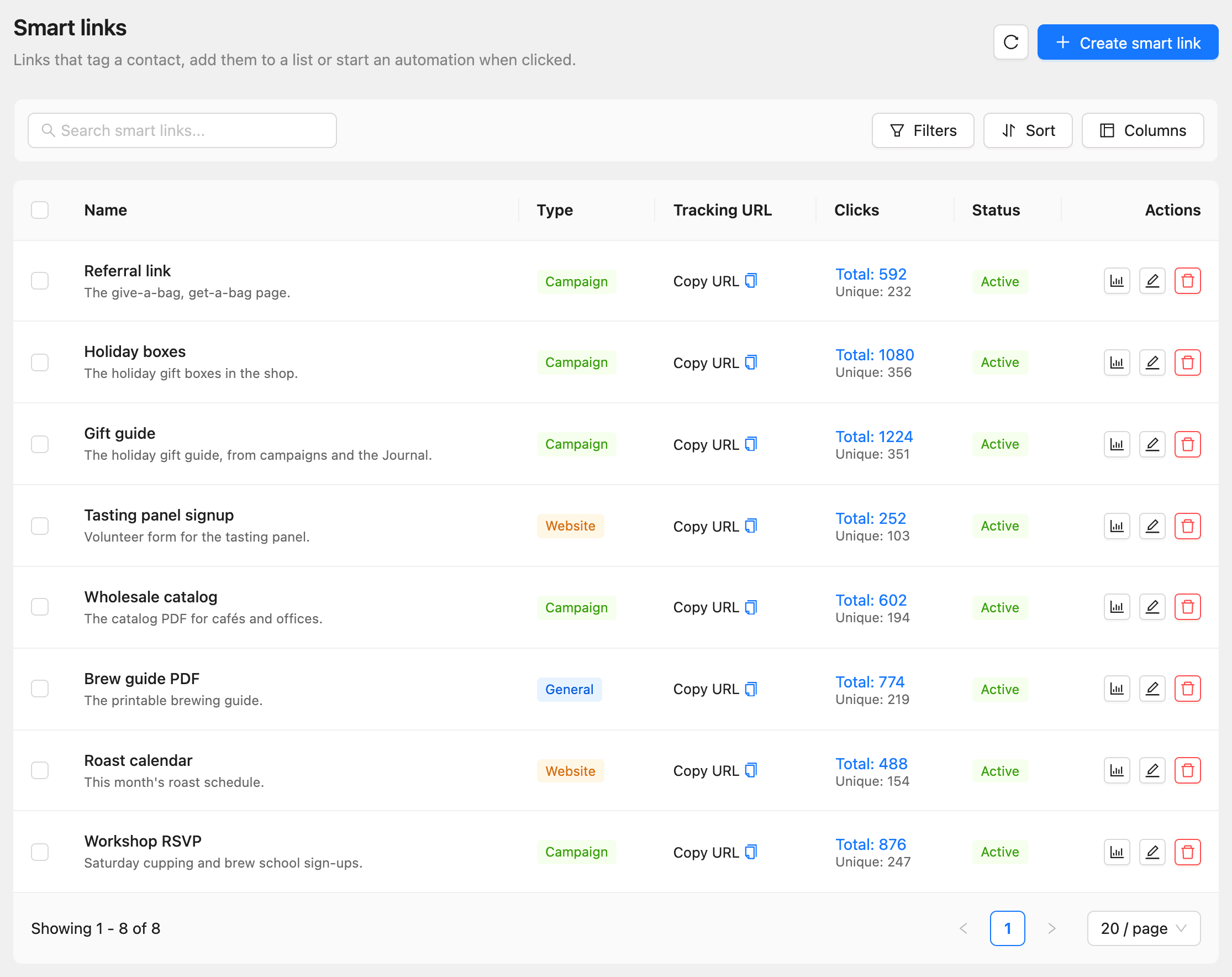
An automation can also start on a smart link click. Choose the smart link trigger and pick the link. See How to use triggers, delays, and actions.
Read the click stats
Click the chart button (Click stats) in a link’s row.
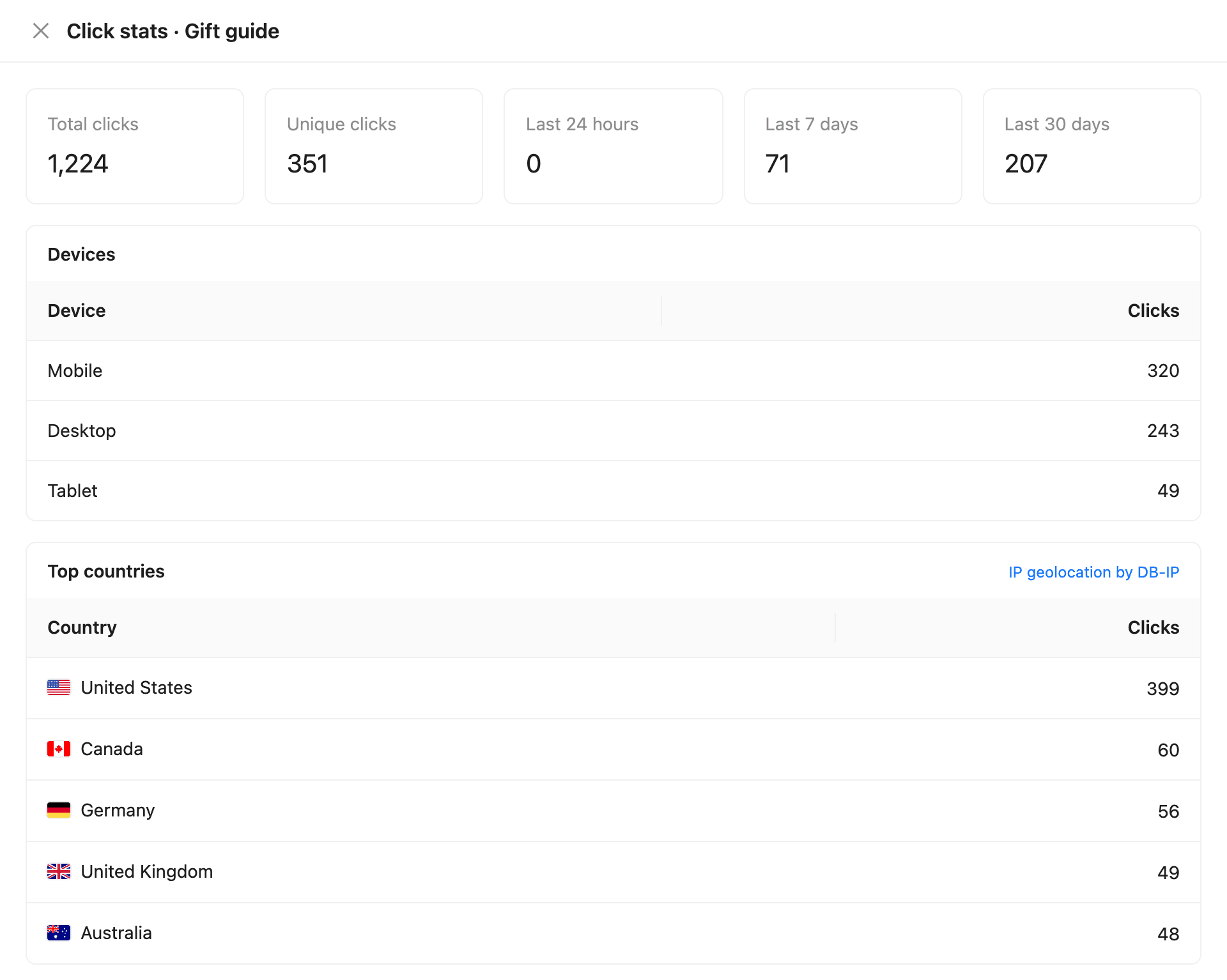
The panel shows Total clicks, Unique clicks, clicks in the Last 24 hours, Last 7 days, and Last 30 days, Devices, Top countries, and a Click log with each click’s contact, location, device, and referrer.
Each plan limits the number of smart links and smart link clicks per period. See How to check plans, usage, and billing.